
Secret scanning is, for many developers and tech leads, the most direct starting point for the question of what a repository reveals about security risks. Anyone searching for “secret scanning” usually wants to know three things: what it checks, what it typically finds, and where its limits lie.
This involves two perspectives:
- developers who want to show their repository as a work sample and understand in advance which findings may become relevant
- tech leads who want to assess a repository without relying solely on self-descriptions or a CV
At Acquispect, it is not the CV that is audited, but the Git repository as a real work sample. Secret scanning is part of Stage B of the Proof Engine, the Safety Check alongside known vulnerabilities in dependencies, test coverage and tech stack. More on the overall Proof Engine assessment methodology.
What secret scanning actually checks
Secret scanning checks whether sensitive credentials or other secret values have accidentally ended up in a repository. In other words, it looks for entries that should not be publicly present in code, files or history because they may allow access to systems, services or accounts.
What matters here is this: it is not only the visibly used application code that is relevant. Other contents can contain such findings as well, for example:
- API keys
- tokens
- passwords
- private keys
- credentials in configuration files
Such values often appear not only in source code, but also in commit contents, sample configurations, test code or local helper files. This is particularly important for developers who want to present a repository as a work sample: a problematic entry does not necessarily sit in the main application, but sometimes in files that are easily overlooked in day-to-day work.
For tech leads, secret scanning is above all a clearly defined security check. It does not answer the whole question of a project’s quality, but one specific part of it: whether leaked secrets stand out. A finding is therefore, first and foremost, a signal of risk and of how security discipline is handled, not automatically an overall judgement on the person behind the repository.
At Acquispect, this check belongs to Stage B of the audit, the Safety Check. It scans for leaked secrets, in addition to known vulnerabilities in dependencies, test coverage and tech stack. If you use Acquispect for a work sample, you can find more on the page for developers with the free repo audit. For reviewing teams, there is the page for companies with credential verification.
What secret scanning typically finds
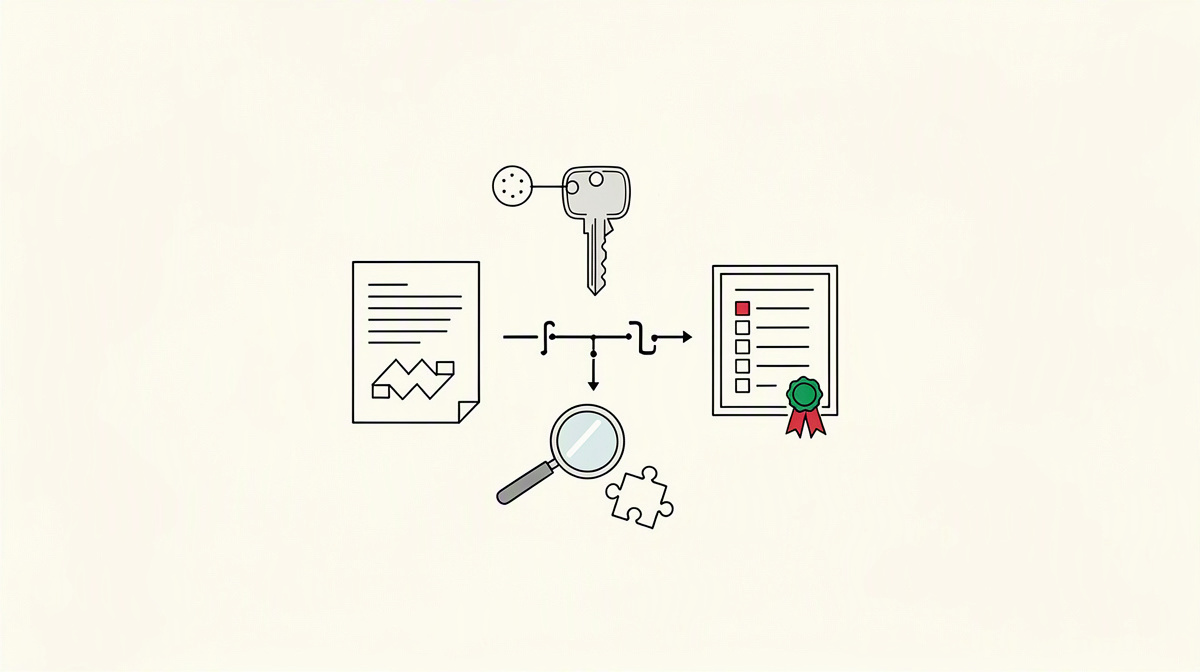
Typical findings are usually not exotic edge cases, but familiar patterns that arise easily in everyday development work. These include, above all:
- hard-coded tokens directly in the source code
- credentials in
.env-style files - private keys
- configuration files that were committed by mistake
Such entries often do not end up in the repository intentionally. They commonly arise out of convenience during local testing, in debugging situations, or because sample values were copied and not replaced later. Particularly in moments when something simply needs to be made to work quickly, sensitive values are more likely to slip into files that are then committed as well.
The history also matters: even old commits can be relevant if they once contained sensitive values. Even if the current state appears clean, an earlier entry remains relevant to the assessment. That is why commits in which configurations were changed, or build scripts and deployment files were adjusted, stand out in particular. If you are interested in related processes, you will also find useful context in the article on release management.
Secret scanning detects patterns and suspicious character strings. Even so, context remains decisive. Not every hit means the same thing: a demo value must be assessed differently from a real production key.
For developers, this is often exactly the surprise: the problem is not in the main application, but in helper files, examples or the commit history. For tech leads, the nature of a finding can indicate how reviews are carried out, how carefully configuration is handled, and how well security routines are established. If you want to assess work samples more generally, you can also read the article on checking references: what they can do. An overview of pricing is also available separately.
What a finding means – and what it does not
A hit in secret scanning is an important signal, but not a judgement that should stand on its own. It shows that sensitive values can be identified in a repository. At first, it says no more than that.
Above all, a single finding does not replace a full security analysis of a system. Whether a repository contains a secret in one place does not automatically answer questions about architecture, runtime behaviour, permissions or the actual deployment context.
The reverse is just as important: if no finding appears, that does not prove that there is no risk whatsoever. Secret scanning checks one clearly limited security aspect. It is not evidence that a project as a whole is free of problems.
A useful assessment therefore depends on the overall context. This includes, among other things:
- the structure of the repository
- the commit history
- known vulnerabilities in dependencies
- test coverage
- the tech stack used
At Acquispect, secret scanning is therefore only one part of Stage B, the Safety Check. This also looks at known vulnerabilities in dependencies, test coverage and tech stack.
In parallel, Stage A examines the .git history forensically: authorship, possible bulk code dumping and an impact score. This distinction is helpful because security findings say something different from working style, the origin of code or actual development contributions.
Particularly when work samples are being evaluated, this distinction is more useful than looking at formal evidence alone. If you want to take this difference further, you will also find it in the article Checking references: what they can do.
How developers can prepare for secret scanning
If you want to share a repository as a work sample, you should not see secret scanning only as a downstream check. It makes more sense to review sensitive values, sample configurations and old problematic entries consciously beforehand.
This mainly comes down to one simple basic rule: secrets do not belong in the repository, but should be managed separately. Sample values should be clearly recognisable as placeholders so that they do not look like real credentials.
It is also important to look beyond the current state of the branch. It is not only the visible code that matters, but also the commit history. This is precisely where legacy issues may remain that have long since been forgotten in day-to-day work.
That is why special attention should be paid not only to application files, but also to:
- helper files
- scripts
- configuration files
- test and sample code
For developers, this preparation pays off twice. On the one hand, it reduces avoidable findings. On the other, it makes visible something that is often only claimed in applications: careful handling of security in a real working context.
Secret scanning should not be considered in isolation. The same Safety Check also considers known vulnerabilities in dependencies, test coverage and the tech stack. So if you show your repository, you are always also showing how well these neighbouring aspects are maintained.
At Acquispect, developers can have their repository audited free of charge.
How tech leads should read the results

Tech leads do not necessarily need to comb through the raw data of a repository themselves in order to make a reliable assessment. More important is a result that brings the relevant signals together in an organised and understandable way.
At Acquispect, this result is produced after three stages. At the end is a consensus verdict from a panel of five AI expert personas:
- Tech Lead
- Security
- Performance
- Architect
- Craftsman
This verdict is deliberately not a claim to certain truth. It is a summarised assessment with a confidence score. In practice, that means the result provides a structured signal, but not absolute certainty.
It is sealed as a W3C Verifiable Credential via did:web in the developer’s wallet. The credential belongs to the developer themselves. When a company verifies it, it does not see the raw data from the repository, but the verdict. In addition, the full audit log can be read in order to understand the assessment.
This is exactly what is useful for tech leads in the selection process. The security and work quality of a repository can be read in a more structured way than through self-descriptions alone. Instead of merely reacting to statements in a CV or in interviews, there is a verifiable result based on real work — with reasoning and a confidence score.
Frequently asked questions about secret scanning
Does secret scanning find only current secrets, or also ones from older commits?
Not only the current state. For assessment purposes, it can also be relevant whether sensitive values were once present in the repository in earlier commits. This is exactly what is often important for developers: a branch looks clean today, while problematic entries may still exist in the history.
For tech leads, this means that looking only at the latest state is often not enough for a security question. Older configuration changes, helper files or build-related adjustments in particular can explain findings.
Does a hit in secret scanning automatically mean that a repository is insecure?
No. A hit is a risk signal, but not yet a complete judgement. The context matters as well:
- Is it a real sensitive value or a demo value?
- Is the finding in the core of the project or in a helper file?
- Is it a single incident or part of a recurring pattern?
So for the assessment, what matters is not only that something was found, but also exactly what was found and in what context.
Is secret scanning enough to assess a repository fully?
Again, no. Secret scanning answers a clearly limited security question. It does not replace checking for known vulnerabilities in dependencies, nor looking at test coverage, tech stack or the working style visible in the Git history.
That is why, at Acquispect, it is only one part of Stage B of the Safety Check. Alongside it, there is Stage A for the forensic analysis of the .git history and Stage C, in which five AI expert personas arrive at a consensus verdict with a confidence score.
When companies verify, what do they actually see: raw repository data or only the result?
When companies verify, they see the verdict, not the raw data from the repository. In addition, they can read the full audit log in order to understand the assessment.
The result is sealed as a W3C Verifiable Credential via did:web in the developer’s wallet. The developer owns this credential themselves.
What does the assessment cost for developers, and how do companies pay for verification?
For developers, the audit is free. Companies pay per verification, without a subscription. The verifier pays.
Conclusion: secret scanning is a clear signal, not a judgement on its own
Secret scanning answers one concrete question: whether sensitive values stand out in a repository that do not belong there. That is precisely why many people search for “secret scanning”: they want to understand what is checked, what can be found and how a finding should be read.
In practice, this distinction is especially helpful:
- A finding indicates a security risk.
- No finding is not proof of complete security.
- The significance only emerges in connection with the rest of the repository.
At Acquispect, secret scanning is therefore not the final result, but one part of Stage B of the Safety Check. Alongside it, known vulnerabilities in dependencies, test coverage and tech stack are included. After that comes Stage C: five AI expert personas form a shared verdict with a confidence score.
In this way, a single security check does not become a hasty judgement, but a contextualised signal based on real work.